


Step 1:
The first thing to do is to move the photo in front of the text so that you can move it freely in the document.
The steps to do this are:
1. Select layout options in the top right corner of the photo
2. Select “Before the text”

Step 2:
In the second step, cut your picture to a square.
The steps to do this are:
1. Select the picture
2. In the upper bar in “Format” look for Cropping
3. Drag the frame to a square format. Alternatively, enter the desired values for height and width.
4. Click the Crop button again
You should now be able to see your picture in a square cut.

Step 3:
In the third step you determine that your photo is round.
The steps to do this are:
1. Select the picture
2. In the upper bar in “Format” search for image format templates
3. Select “beveled oval, black”
Now your picture should be round with a thick black frame.

Step 4:
In the fourth step you can optionally display the picture frame.
The steps to do this are:
1. Select photo
2. Select picture frame under “Format”
3. Select “No contour”

Step 5:
In the last step to cut out the photo, check whether other image effects are on.
The steps to do this are:
1. Select photo
2. Select image effects under “Format”
3. Go to “Preferences” and select “No Preferences”
4. Check the other categories whether they are really set to “None”
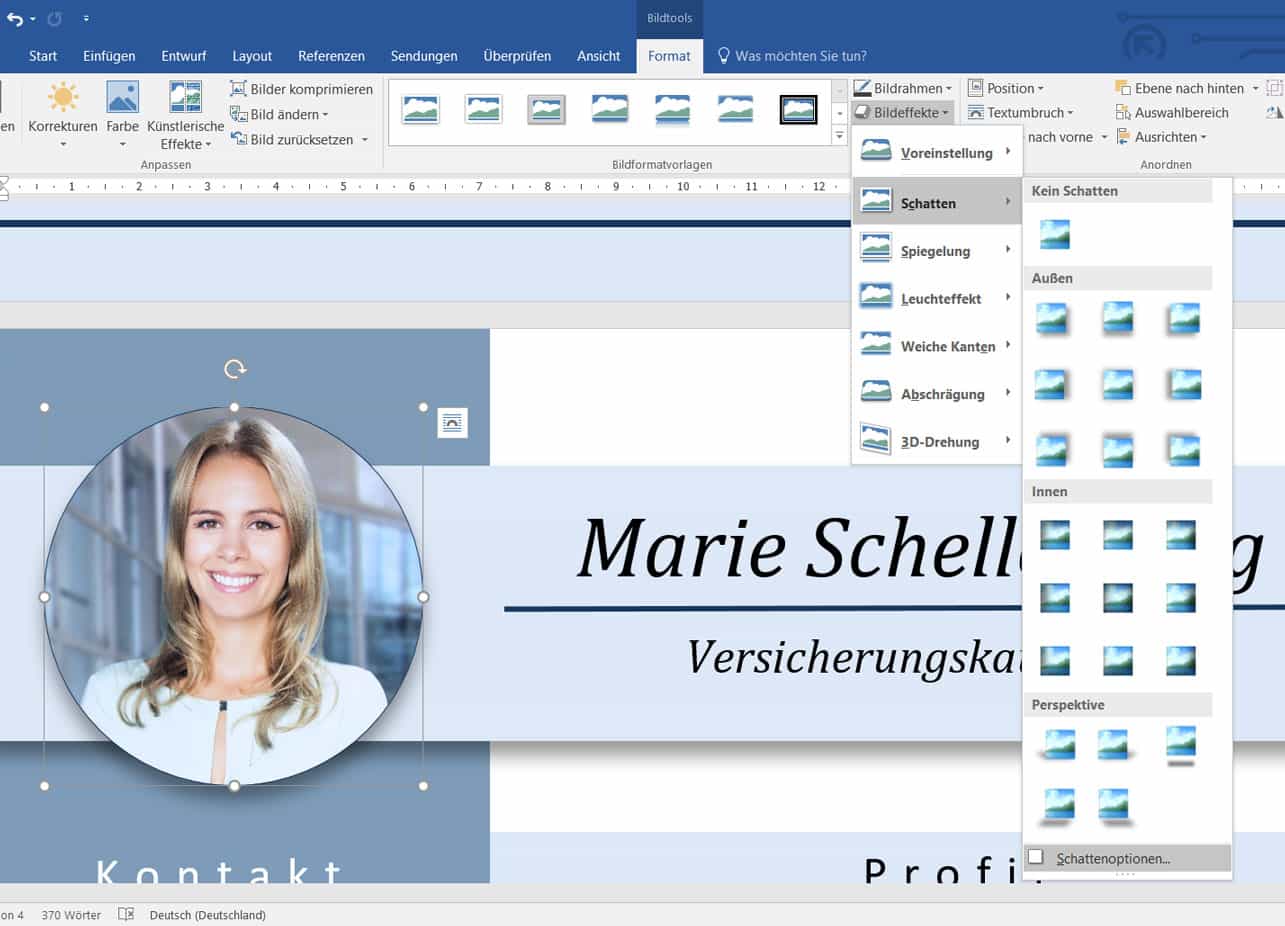

Optional step:
If you do decide to use an effect, such as a shadow, you can make various settings.
The steps to do this are:
1. Select photo
2. Select “Image Effects” under “Format”
3. Go to “Shadow” and select a shadow. Preferably from the “outside” area
4. To change the settings of the shadow, click on Shadow Options
5. A menu opens in which you have various settings to choose from